The Sites page
Every site and its devices at a glance, for owners, admins, reception and security.
Sites in the rail shows every site as a card, so you can see at a glance who is there and whether the kiosks and badge printers work. Nothing on the page can be changed; owners and admins change sites and devices under Settings → Sites and devices, which Manage in Settings → Sites and devices in the page header opens.
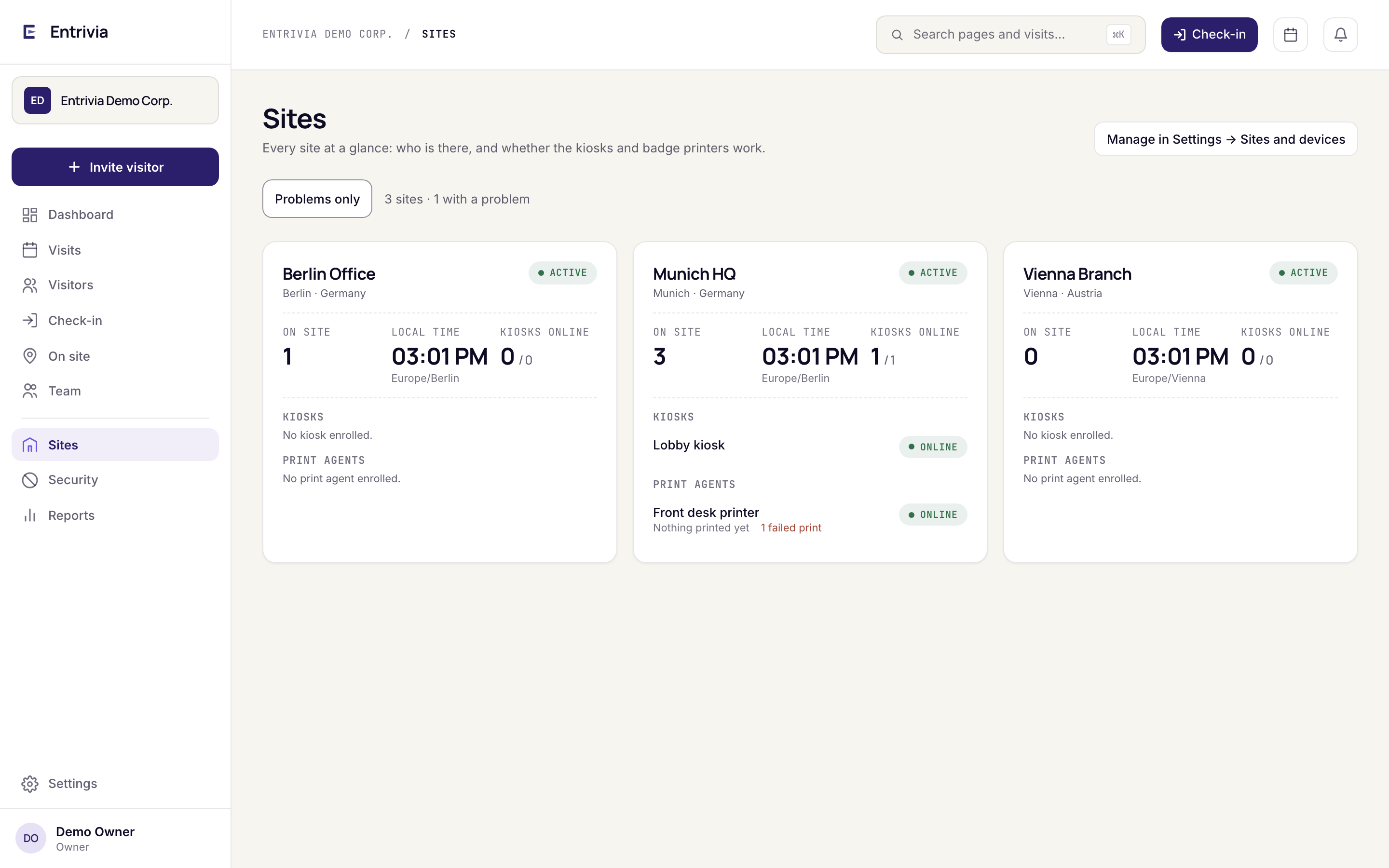
What a card shows
- The site's name, city and country, and whether it is Active or Paused.
- A note when an evacuation or a drill is running there.
- On site: the visitors there now. For roles that may open On site, the number opens that site's list.
- Local time at the site, with its time zone.
- Kiosks online out of all kiosks, then each kiosk with its zone, its state (Online, Degraded or Offline), when it was last seen if it is not online, and its printer's state.
- Each print agent with its state, when it last printed, and how many badges failed to print. An agent that was enrolled but never connected reads Not connected yet.
Problems only
Problems only keeps the sites where something needs attention: a kiosk or print agent that is not online, or a badge that failed to print. The line beside it counts the sites and how many of them have a problem. To fix a printer or retry a failed badge, see Kiosks and print agents.
The page updates on its own every 30 seconds. Owners, admins, reception and security all see the same cards, devices and failed prints included.