Connecting a service
How an owner or admin connects, checks and disconnects an outside service under Settings, Integrations.
Which services you can connect
Open Settings → Integrations. Owners and admins can change it. The page lists one tile for every service your operator installed. The Entrivia repository contains these:
| Service | What it does |
|---|---|
| Slack, Microsoft Teams | Tell hosts that their visitor arrived, with buttons to answer |
| Google Calendar, Microsoft 365 Calendar | Turn hosts' meetings with external guests into visits, see Calendar sync |
| Microsoft 365 Mail, Company SMTP | Send your workspace's emails through your own mail system |
| GatewayAPI | Tell hosts by text message |
| StackForge Sanctions Screening | Screen visitors against sanctions lists, see Sanctions screening |
| OpenAI-compatible model | Runs the portal's assistant on a language model you choose, see Gatekeeper Paul |
If a service you expect is missing, your operator has not installed it. Services that are installed but not set up on the server are folded away at the end of the list, under the number of integrations not available on this install.
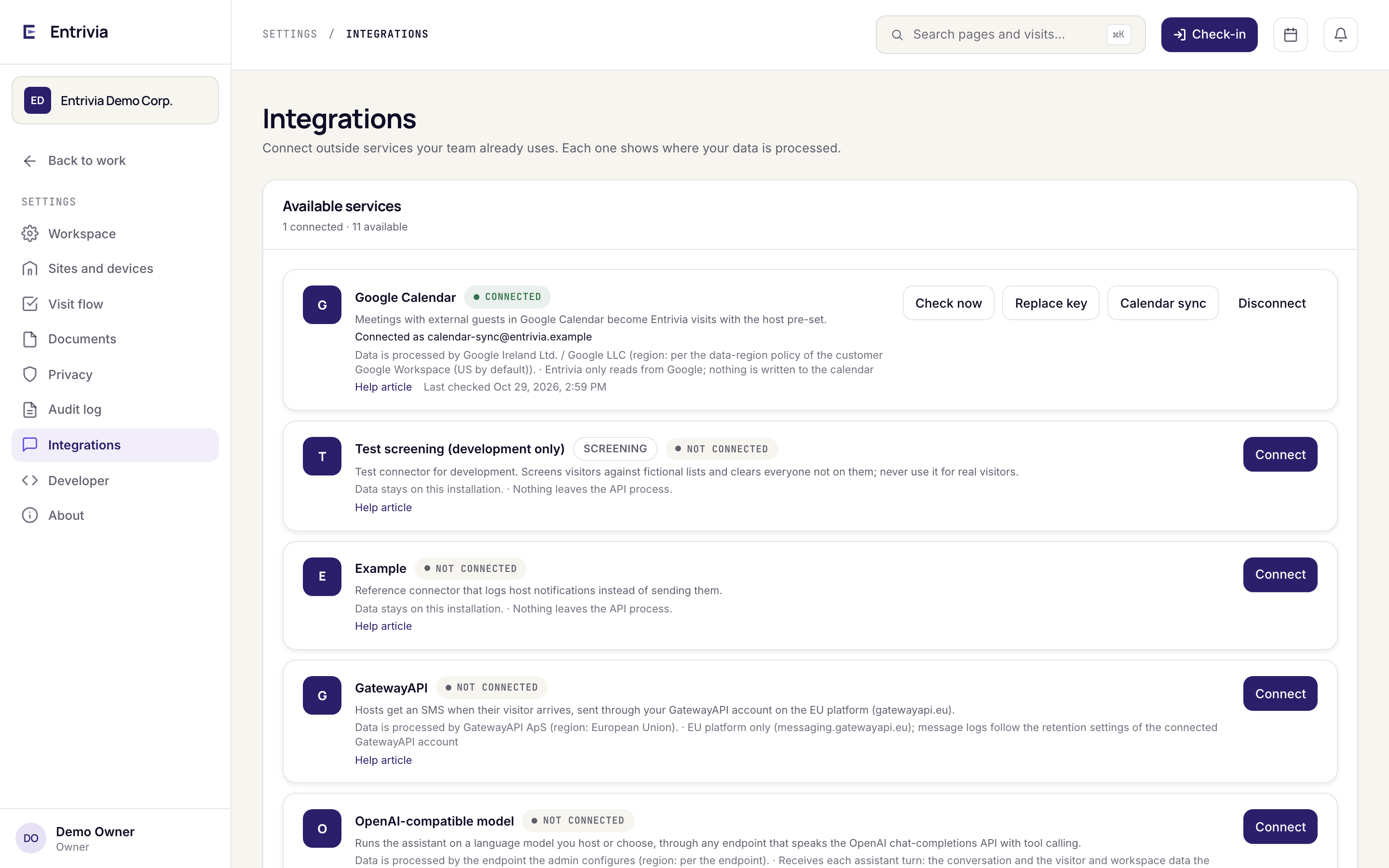
Reading a tile
Each tile shows the service, a status, when it was last checked, a Help article link when one exists, and where the service processes data: Data is processed by … (region: …). or Data stays on this installation. Check that line before you connect anything that receives visitor data.
| Status | Meaning |
|---|---|
| Not connected | Ready to connect. |
| Connected | Working. |
| Needs attention | The last check failed. The tile explains why. |
| Unavailable | The service is installed but not set up on the server, or needs a newer Entrivia version. Ask your operator. |
Connecting
- Click Connect on the tile.
- Depending on the service, either paste the details the service gave you (an API key, for example) or sign in at the service and allow access when you are sent there.
- Entrivia checks the details with the service. If they are accepted, the tile shows Connected. If not, the dialog says what went wrong and what to check.
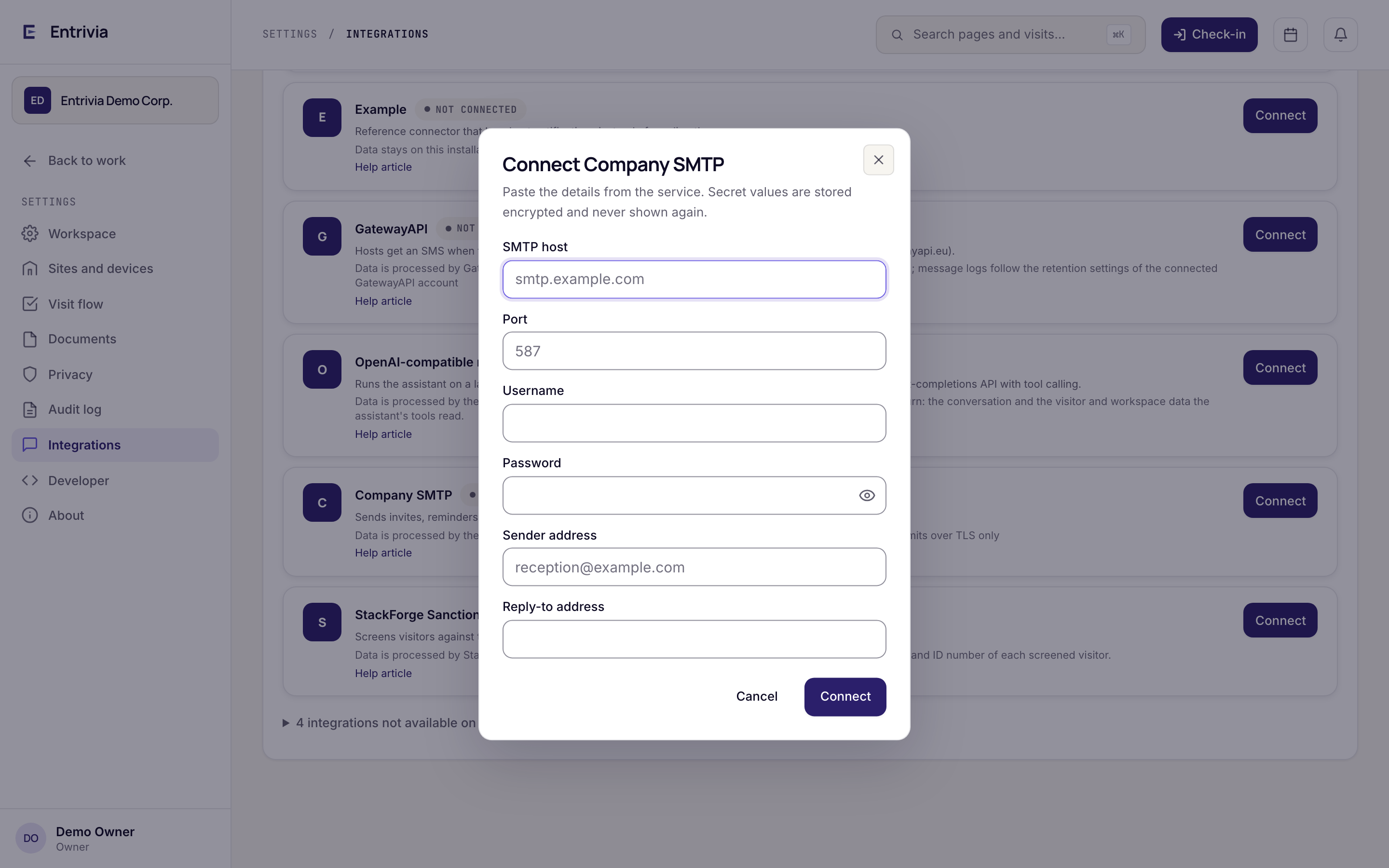
Secret values are stored encrypted and never shown again, not even to you.
Looking after a connection
- Configure changes the settings the service offers. Each service has its own.
- Check now tests the connection on the spot.
- Replace key swaps an API key without interruption: the service checks the new key first, the old one keeps working until then, and afterwards you can revoke the old key at the service.
- Disconnect revokes access and deletes the stored credentials. You can connect again at any time.
Disconnecting the sanctions screening service asks for a reason, because visitors are no longer screened from that moment. Owners and compliance reviewers are told.
Mail through your own system
Without a mail integration, Entrivia sends email through the install's own mail relay, set up by your operator. When you connect Microsoft 365 Mail or Company SMTP, workspace emails such as visitor invitations and host notices go through your mail system instead. Password resets and team invitations always use the install's own relay, so staff can still sign in if your mail connection breaks.
Every connect, change, check failure and disconnect is recorded in the audit log.