How hosts are told
What a host receives when their visitor arrives, what happens when the host does not answer, and every email Entrivia sends.
When the visitor checks in
The moment a visitor is checked in, at reception or at the kiosk, the host receives an email. The subject reads "visitor just arrived", the message says the visitor "has arrived at site (time) and is waiting in reception", names their company and links to the visit with View the visit.
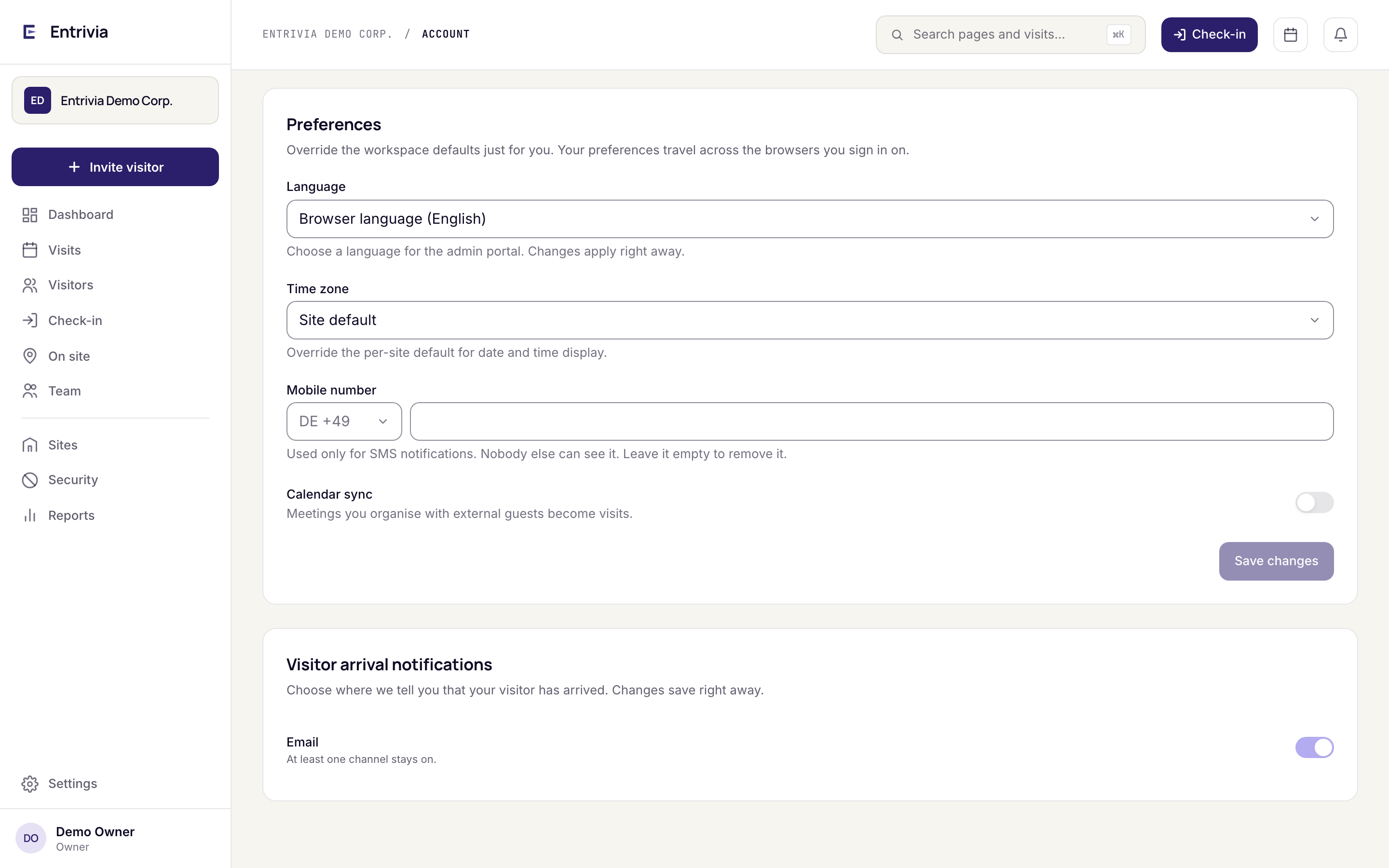
If Slack, Microsoft Teams or SMS is connected, the host also gets a message there. Each host chooses their channels under Visitor arrival notifications in their account, see Your account. At least one channel stays on, and SMS needs a mobile number first. Email is the fallback when nothing else is connected.
Slack and Teams messages carry the buttons On my way and Running late. A click tells reception that the host has seen it.
When the host does not answer
Entrivia does not leave a visitor waiting unnoticed:
- On Slack and Teams, a message nobody answers is sent again after 10 and 25 seconds. After 40 seconds the host counts as unreachable.
- An arrival email that could not be sent counts as unreachable at once. A delivered email that nobody follows up counts as unanswered after the Escalation timeout (minutes) set in Settings → Visit flow, five minutes by default.
- Reception staff assigned to the visit's site are told first, or all reception staff when nobody is assigned there. Their email reads "visitor is waiting, host could not be reached".
- If nobody answers within the escalation timeout, or no reception staff could be reached, owners and admins are told too.
- A visitor who checked in at the kiosk is asked to wait at reception.
The visit's timeline records each step as Host not reachable, others told. On a confidential visit, everyone except the host reads "Confidential visitor" instead of the name.
Following the messages
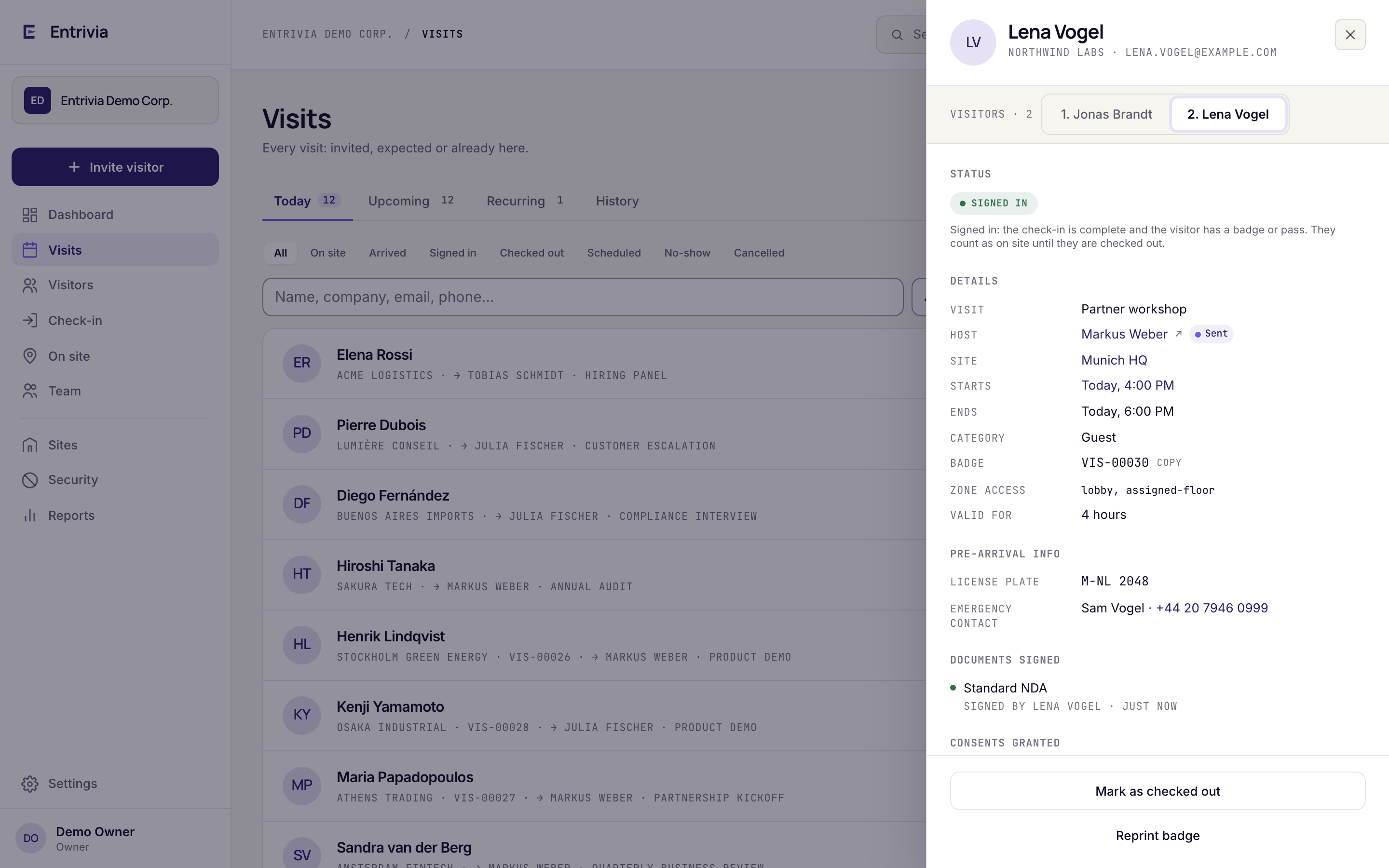
The visit record lists every message under Notifications, one chip per channel: Queued, Sent, Delivered, Acknowledged, Not delivered or Off by the host's choice. Reception, admins and owners can Resend a failed email.
When a visitor finishes pre-arrival, the host is told through the notification bell in the portal, not by email.
Every email Entrivia sends today
| Recipient | When | |
|---|---|---|
| "host invited you to workspace" | Visitor | An invite is sent, see The invitation email |
| "Confirm your email address for your visit to workspace" | Visitor | They add or change their email address during pre-arrival |
| "Your visit to workspace has been cancelled" | Visitor | The host cancels the visit |
| "visitor just arrived" | Host | The visitor checks in |
| "visitor is waiting at reception" | Host | The visitor declined the NDA or the photo and needs the host's approval |
| "visitor is waiting, host could not be reached" | Reception, then owners and admins | The host did not answer |
| "You've been invited to workspace on Entrivia" | New team member | Someone invites them to the team |
| "Reset your Entrivia password" | Staff | They asked for a reset link |
| "New sign-in to your Entrivia account" | Staff | A new sign-in to their account |
| Passkey added, removed, or a passkey sign-in blocked | Staff | Their passkeys change or look copied |
| "We signed you out on all devices" | Staff | All their sessions were ended |
| Sanctions screening alerts | Owners, compliance reviewers, admins | A hold was lifted, settings were relaxed, the monthly limit is 80 % or fully used, the service is down or back, a review is overdue |
| "Visitor names are now sent to address", "A new API token can read visitor names" | Owners | A webhook starts sending visitor names or sends them to a new address, or an API token that reads visitor names is created |
| "Evacuation in progress at site" | The site's evacuation helpers and security | An evacuation starts on On site, or a drill whose alert was asked for |
Reminder emails to visitors and wallet passes are planned.