Calendar sync
How meetings a host organises with external guests become visits without anyone typing an invite.
What calendar sync does
With calendar sync, a host who books a meeting with an external guest in Google Calendar or Microsoft Outlook does not need to invite the guest again in Entrivia. The meeting becomes a visit, and every external guest receives the same invitation email as from a portal invite, with their link to pre-register.
Two things must be in place:
- An owner or admin connects Google Calendar or Microsoft 365 Calendar under Integrations, see Connecting a service.
- Each host turns on Calendar sync in their own account, see Your account. Only the host can do this. Admins can see who turned it on, but cannot turn it on for anyone else.
Which meetings become visits
A meeting becomes a visit when the host organised it and at least one guest is external. A guest counts as external when their address does not belong to a verified email domain of your company and does not belong to a team member. Add your company's domains under Email domains in Workspace settings; an unverified domain does not count, and colleagues at it would be invited as visitors.
These meetings are skipped:
| Skipped | Why |
|---|---|
| Private meetings, out of office, working location | Not a visit |
| All-day events | No arrival time |
| Meetings the host only attends | Only the organiser's calendar creates the visit, so a meeting never becomes two visits |
| Meetings with colleagues only | No external guest |
Guests who declined the meeting are not invited. Entrivia reads meetings from one day back to 60 days ahead.
What the visit looks like
- Host: the person whose calendar it is.
- Site: the host's site when they are assigned to exactly one, otherwise the first site of the workspace. The meeting's location is not read yet, so check the site of hosts who work at several.
- Time and title: taken from the meeting.
- Visitors: one per external guest, in the default visitor category.
In the visitors list such visits show Via calendar. When the host moves the meeting, renames it or changes the guests, the visit follows. Guests who already arrived are never changed. A cancelled meeting cancels the visit.
Checking that it works
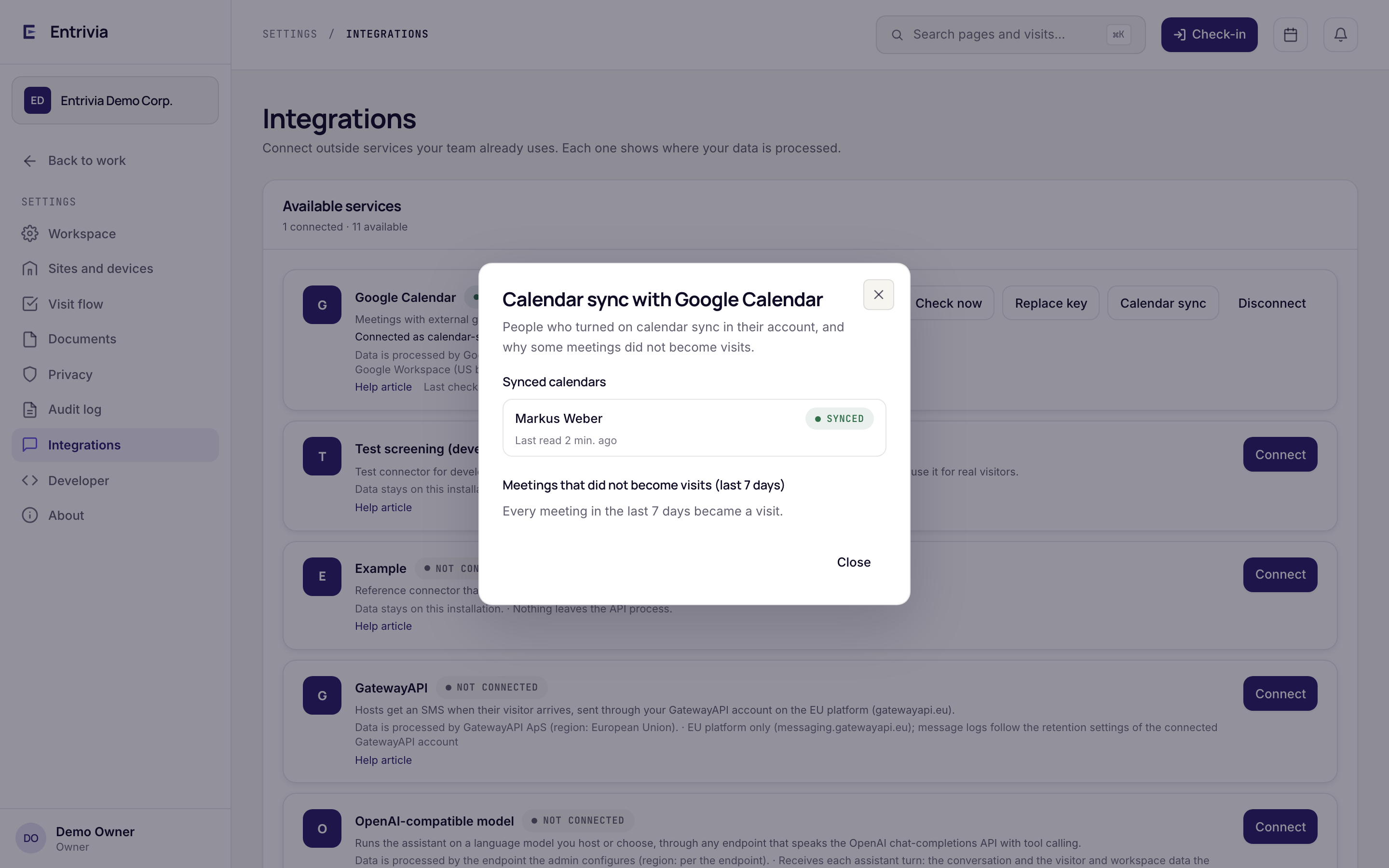
Click Calendar sync on the calendar tile under Integrations. The dialog lists every synced calendar with its state (Synced, Starting or Not synced) and when it was last read. A calendar that is Not synced says why, for example that the provider refused to sync it, and what to check. Below, it counts the meetings of the last 7 days that did not become visits, grouped by reason, for example "Only colleagues invited, no external guests".
Note: Entrivia only reads calendars. It never writes back to them.