Your account
Change your password, add passkeys, pick your language and choose how you hear about arriving visitors.
Select your name at the bottom of the rail and choose Account to open Your account. Everything on this page applies only to you; nobody else can change it for you.
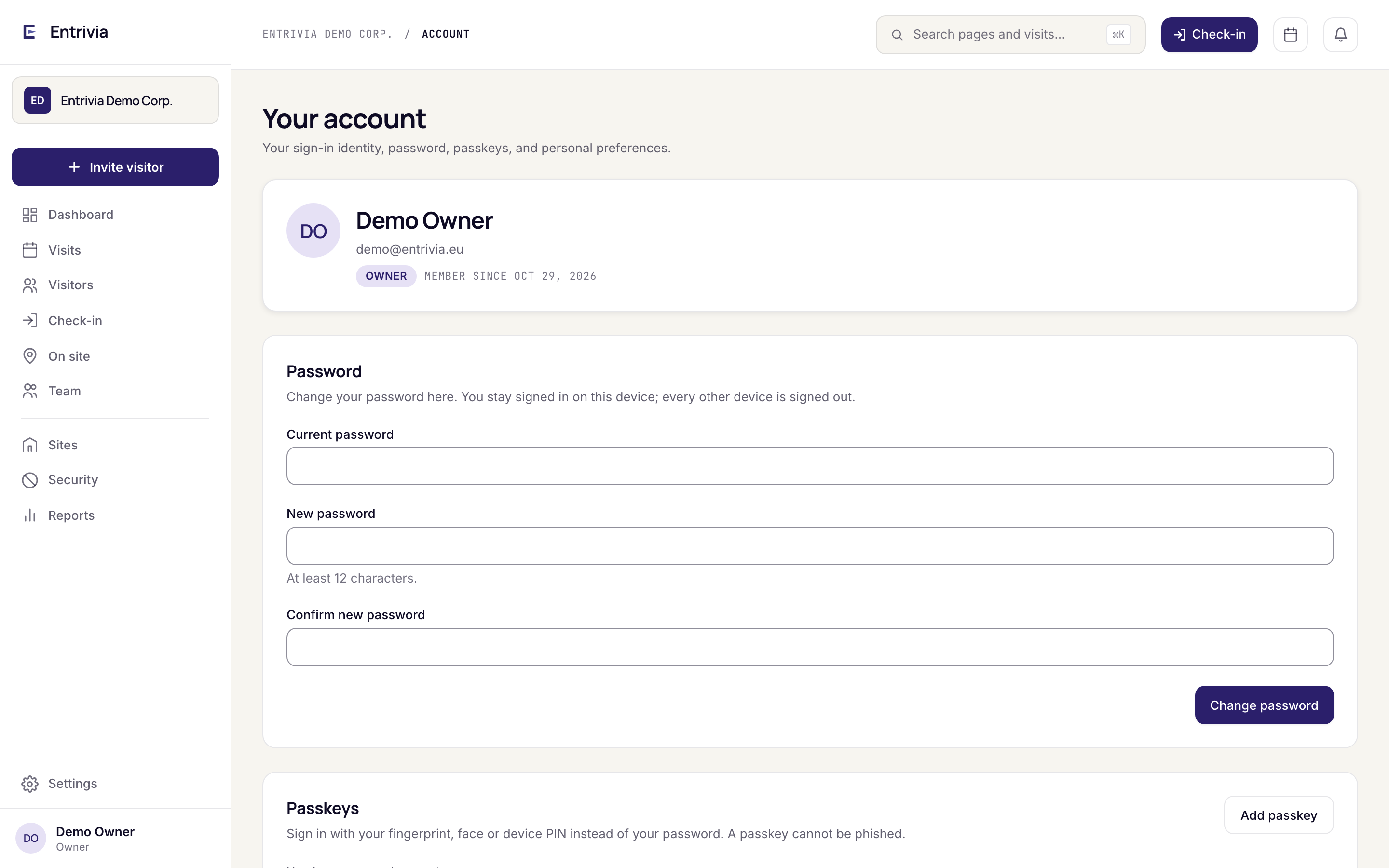
Password
- Enter your Current password.
- Enter a New password of at least 12 characters and repeat it under Confirm new password.
- Select Change password.
Your other devices are signed out; the browser you are using stays signed in. If you have forgotten your current password, sign out and use Forgot your password? instead (see Signing in).
Passkeys
A passkey lets you sign in with your fingerprint, face or device PIN instead of a password. It cannot be phished, because it only works on your company's Entrivia address.
- Select Add passkey.
- Confirm your password, optionally give the passkey a Name (optional) such as "Work laptop", and select Continue.
- Follow your browser's prompt.
The list shows when each passkey was added and last used. To remove one, select Remove and confirm with your password. If a passkey is your only way to sign in, it cannot be removed.
Preferences
| Setting | What it does |
|---|---|
| Language | The language of the portal for you. Until you choose one, the portal follows your browser's language (Browser language). The language in the menu under your name changes the same setting. |
| Time zone | How dates and times are shown to you. By default the site's time zone is used. |
| Mobile number | Used only to send you SMS notifications, and only if your workspace has an SMS service connected. Nobody else can see it. Leave it empty to remove it. |
| Calendar sync | When on, meetings you organise with external guests become visits automatically. Only you can switch this on; see Calendar sync. |
Select Save changes to keep your changes.
Visitor arrival notifications
This card decides where Entrivia tells you that your visitor has arrived. It shows one switch for email and one for each messaging service your workspace has connected, for example Slack, Microsoft Teams or SMS. Changes save right away.
- At least one channel always stays on, so you never miss a visitor.
- SMS can only be switched on after you have entered a Mobile number.
- A channel marked Not available right now has been disconnected by an admin; you can only switch it off.
How the messages reach you, and what happens when you do not answer, is explained in How hosts are told.