Drafts and recurring visits
Save a half-finished invite for later, and set up visits that repeat every day or week.
Drafts
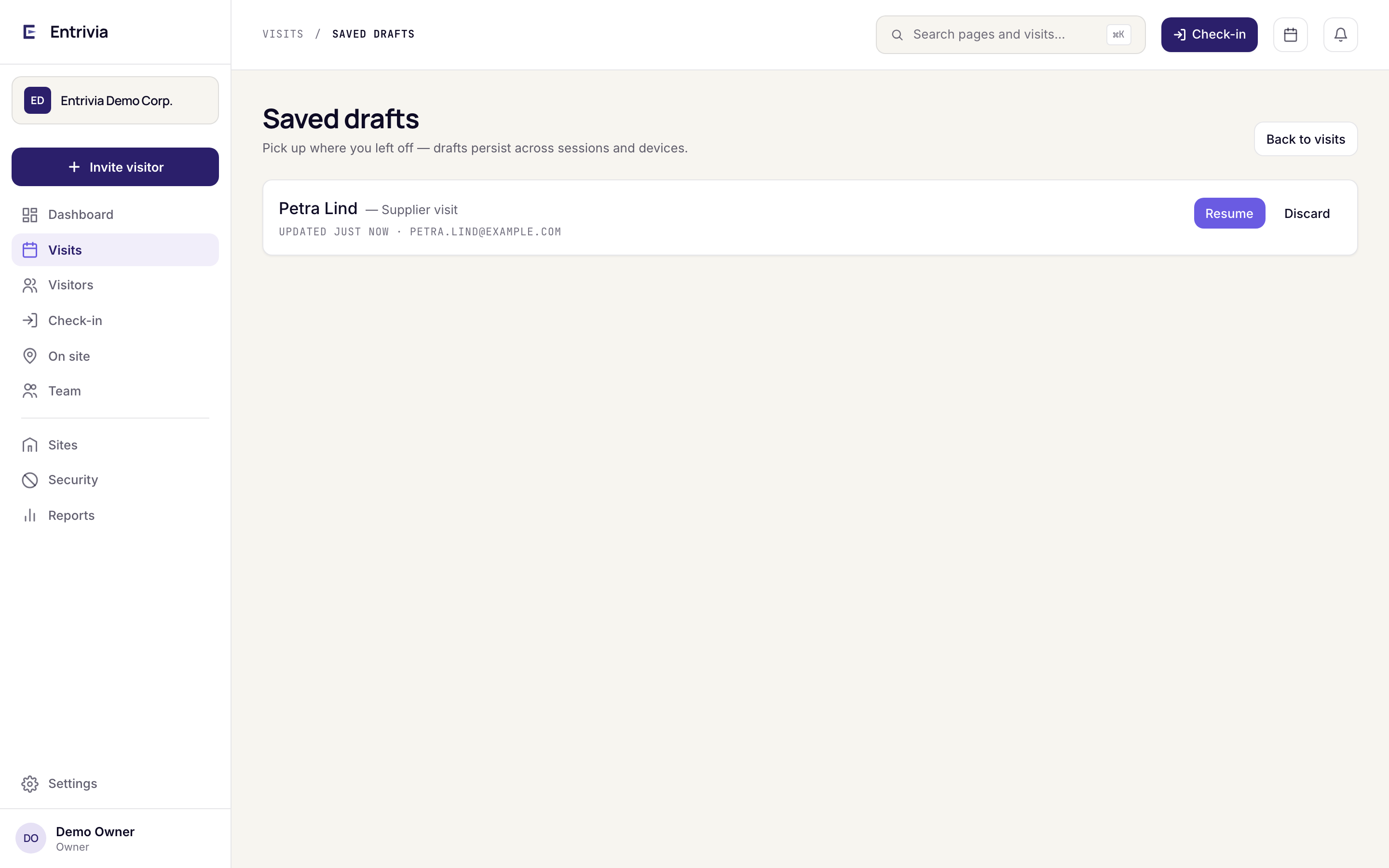
An invite you are not ready to send can be kept as a draft.
- On the New invite form, click Save as draft.
- Later, open the Drafts tab of Visits, or click Drafts on the form. The tab lists your drafts with the time they were last changed.
- Click Resume to continue where you stopped, or Discard to delete the draft.
Drafts are stored on the server and belong to you. You can start a draft on one computer and finish it on another. Nobody receives an email until you send the invite.
An invite you have not saved is also kept in your browser. When you open New invite again, the form says Restored an unsent draft from this session.; Discard draft starts over with an empty form.
Recurring visits
A cleaner who comes every Monday or a contractor on site every weekday does not need a new invite each time. A recurring invite creates the visits for you. Owners, admins and hosts can set one up; the Recurring tab is offered to them only.
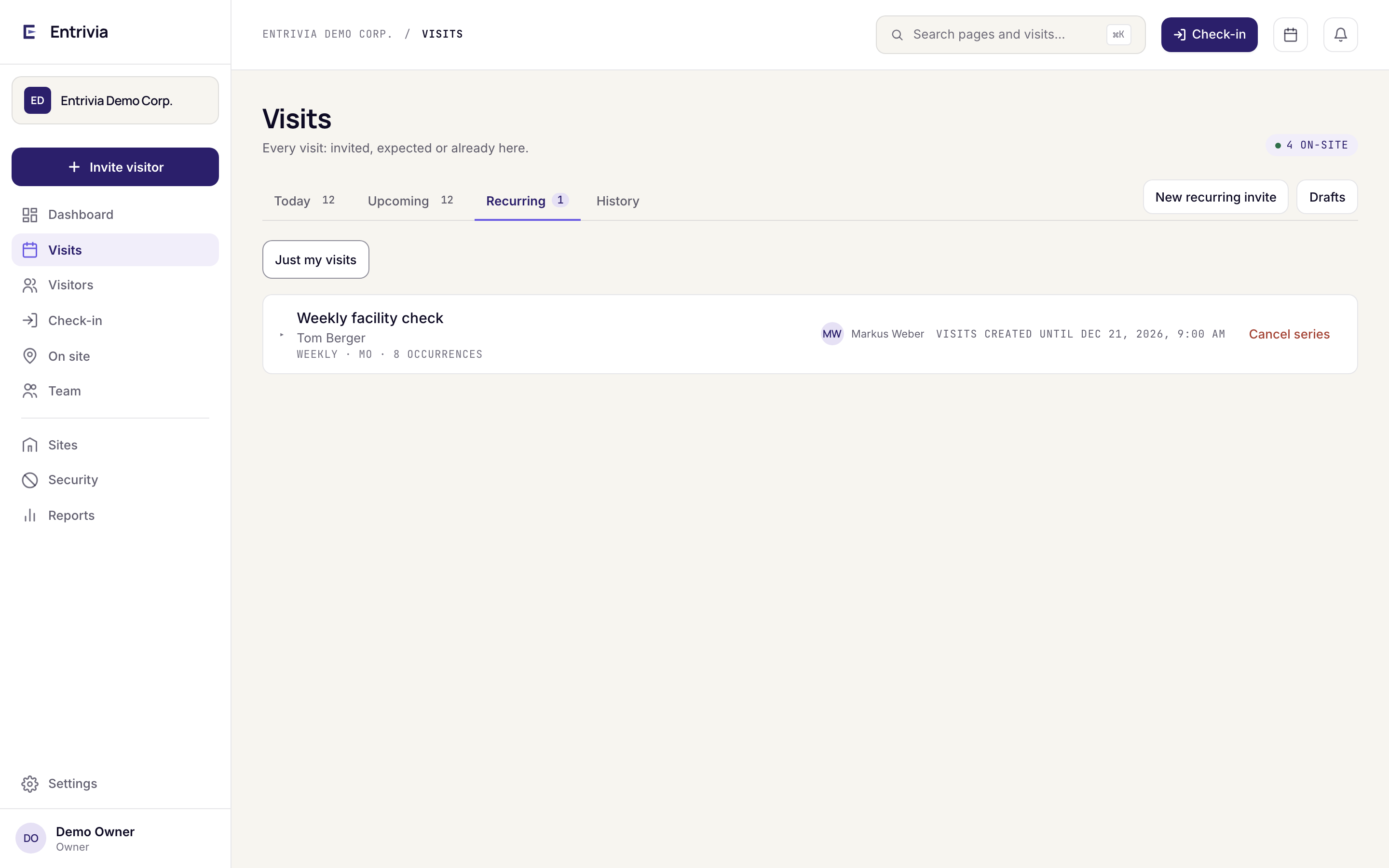
- Open Visits, select the Recurring tab and click New recurring invite.
- Under Visit, choose the Host and the Site, and enter a Title and, optionally, a Purpose. If the host works at only one site, or the workspace has only one, the site is filled in for you.
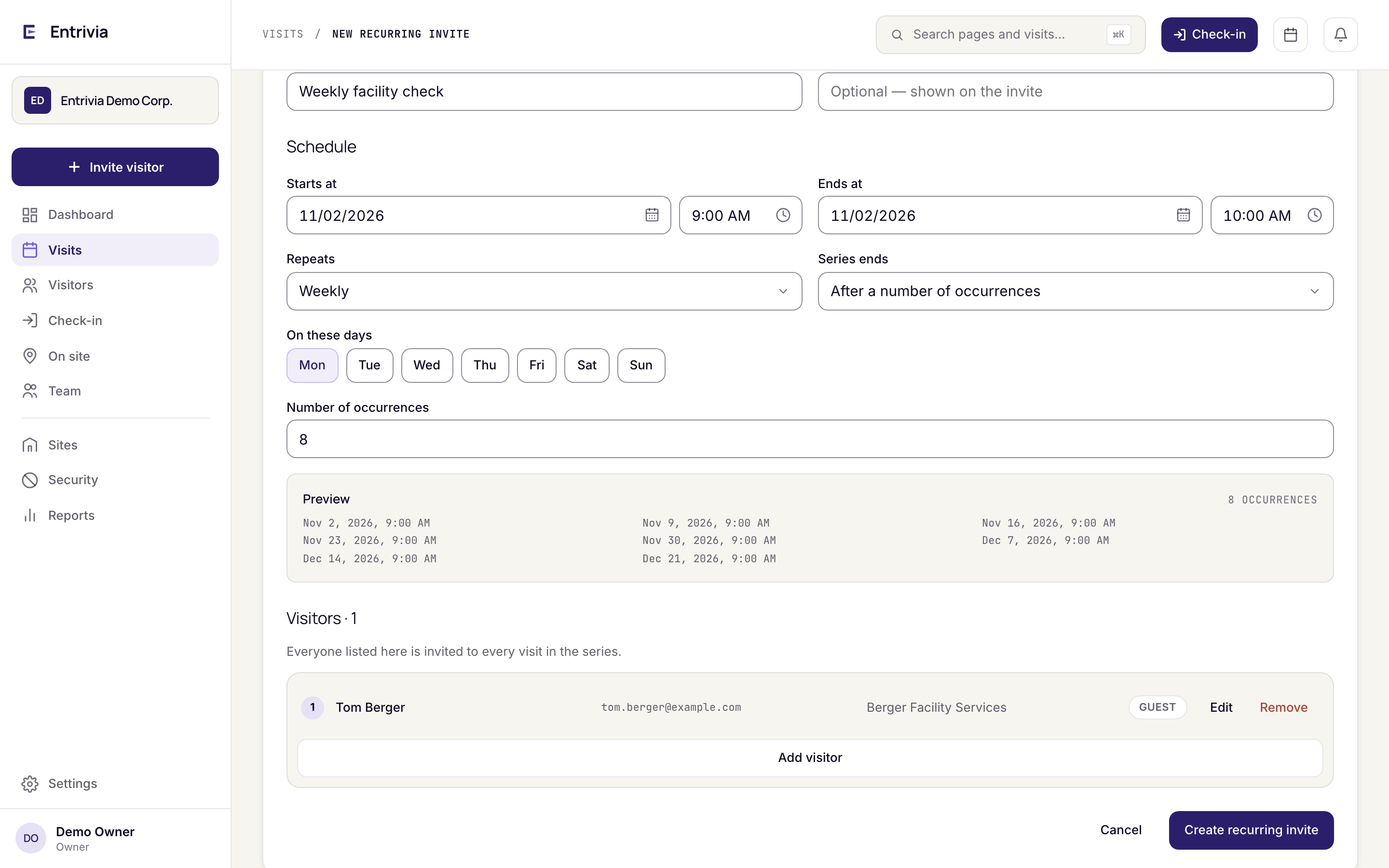
- Under Schedule, set Starts at and Ends at for the first visit. A visit in a series lasts at most 24 hours.
- Choose how it Repeats: Daily or Weekly. For weekly visits, tick the days under On these days.
- Choose when the Series ends: After a number of occurrences or On a date.
- Add the visitors with Add visitor, in the same dialog as on the invite form. Everyone listed is invited to every visit in the series.
- Check the Preview, which lists the dates the schedule produces, then click Create recurring invite.
How the series behaves
Each occurrence is a real visit. Entrivia creates the visits ahead of time for the next 60 days and keeps extending that window every day. Reception sees each occurrence on the Visits page like any other visit, and each visitor gets an invitation email for each occurrence, with its own pre-arrival link.
On the Upcoming tab a series takes one row, its next visit, and folds the later ones behind a chip such as +3 more dates.
The Recurring tab shows each series with its schedule, the first visitors and Visits created until, the date up to which its visits exist. Hosts see their own series; owners and admins see every series with its host and can narrow the list with Just my visits. Open a series to see Visits in this series.
Cancelling
- Cancel series cancels every future visit of the series that has not started. Visits already in progress are not affected.
- To skip a single date, cancel that one visit from its record in Visits. The rest of the series continues.