What Entrivia stores
The personal data a visit leaves behind, where it is kept, and how visitors are told about it.
Who is responsible
Your company decides why and how visitor data is used, so it is the controller under the GDPR. The operator, the team or provider that runs the install, processes the data on your company's behalf. The data stays where the operator runs the install: there is no region setting inside Entrivia.
Entrivia is built for an EU posture:
- No personal data goes to US cloud services or to external AI services.
- Fonts and files are served by the install itself, never by a third-party content network.
- Every integration you connect states where it processes data. The line on its tile reads Data is processed by … (region: …). or Data stays on this installation. A sanctions screening service outside the EU cannot be connected at all.
What a visit leaves behind
| Data | Where it comes from |
|---|---|
| Name, email, company, phone, role | The invite, the visitor's pre-arrival, the kiosk or reception |
| Host, site, date and time of the visit | The invite or the walk-in check-in |
| Pre-arrival details: license plate, accessibility needs, emergency contact, custom fields | The visitor, on their phone |
| Badge photo | Pre-arrival or the kiosk, when the visitor takes one or the visit requires it |
| Signatures on an NDA or other document | Pre-arrival, kiosk or reception |
| Consent decisions and the moment the privacy notice was shown | Every check-in channel |
| Audit entries for every change | Entrivia itself, see Audit log |
Name, company and phone stay on each visit until 30 days after it ended, when Entrivia removes them (see Automatic deletion). Across visits, Entrivia counts how often the same email address came, so reception sees "returning" visitors. A visitor's details are only prefilled on a later invite when they ticked Save my details for future visits.
Collect only what you need
Some data only appears when you switch it on. Ask for each one whether you really need it:
- Custom visitor fields (Settings → Visit flow) can hold anything, including passport numbers or dates of birth. Add a field only when you have a reason and a legal basis for it. See Checklists, fields and badges.
- Collect visitor license plates (only if a camera or parking system reads them) is off by default. Turn it on only if you have a parking system that uses the plates.
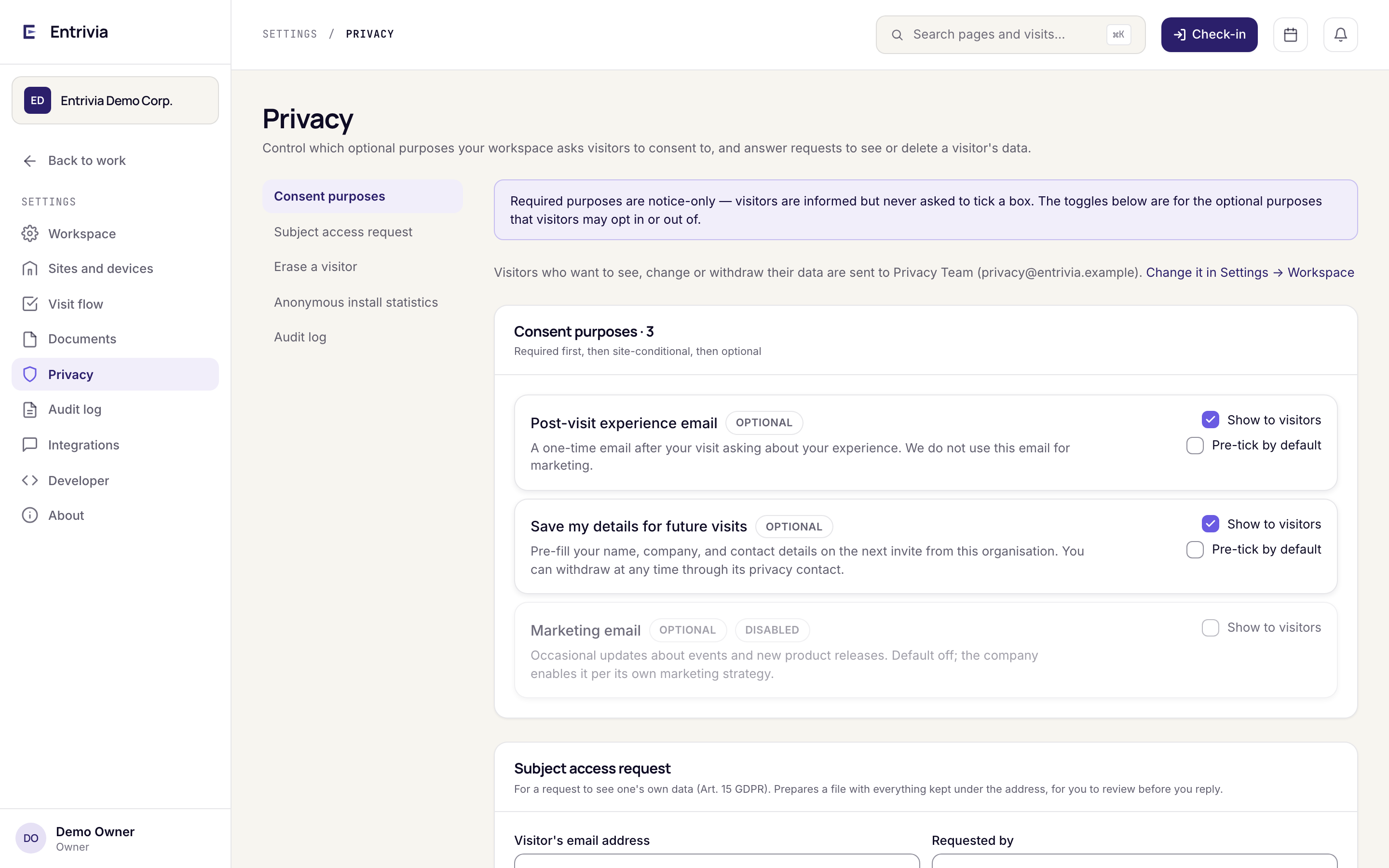
- Optional consent purposes are shown to visitors when Show to visitors is on, and none is ticked in advance. Hide the ones your company does not use. See Consent purposes.
How visitors are told
Visitors see a privacy notice on every path into the building:
- Before arrival, on the Privacy & data step of pre-arrival.
- At the kiosk, in a line above the continue button and through the Privacy notice link.
- At reception, in the line above Issue badge: "By tapping Issue badge, you confirm the visitor has seen our privacy notice."
The notice names your privacy contact, the name and email you enter under Privacy contact in Settings → Workspace. Keep it current: it is the address visitors use for every request about their data.