Gatekeeper Paul
The assistant in the portal that answers questions about visits, visitors, sites and staff, and how an admin turns him on.
What Paul is
Gatekeeper Paul is an assistant in the portal. You ask him a question in plain words, and he answers from your workspace's data. He answers like a reception gatekeeper: short and to the point, in the language you write in.
Paul sits behind the round button at the bottom right of every portal page. Select it to open the conversation. A small dot on the button means Paul is still working on an answer, or that an answer arrived while the conversation was closed.
Under each answer, a small line shows what Paul looked up to find it.
Turning Paul on
Paul needs a language model. Until an admin connects one, the portal shows no button and nothing else about Paul.
- Open Settings → Integrations. Owners and admins can change it.
- Find the OpenAI-compatible model tile and select Connect.
- Enter the Base URL of your language model and, if it needs one, the API key. Then choose the Model from the list your model server offers; if yours is not listed, type its name and pick Use “…”. If your operator has already set up a model server for your installation, you only choose the model.
- Select Connect. Entrivia tries the model first. If that fails, the dialog says why, for example that the model server did not answer or does not know this model. Once connected, the button for Paul appears for everyone in the workspace.
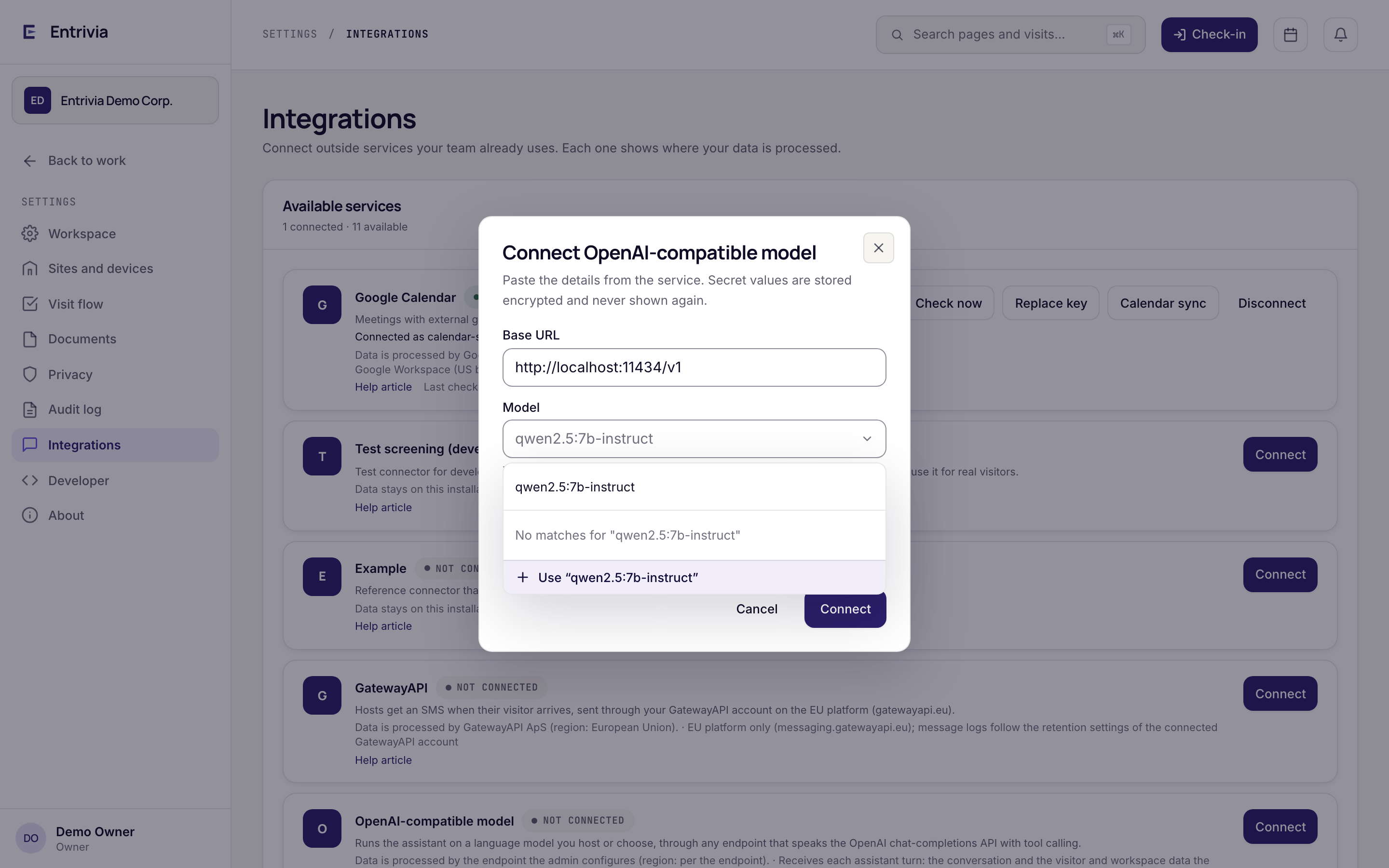
The tile shows where your data is processed. Check it before you connect: what staff type and what Paul looks up goes to that model.
Note: Only one language model can be connected at a time; Entrivia refuses a second one. To switch models, disconnect the current one first. Disconnecting it also turns Paul off.
What Paul can do today
Paul can look things up. He sees exactly what your role may see: a host's Paul sees only that host's visits.
| What | Example question |
|---|---|
| List the visits of a day at a site | "Who is coming today at the Berlin site?" |
| Open one visit | "What is the visit with the supplier at 10:00 about?" |
| Search visitors | "When was the visitor from the example company last here?" |
| List sites and zones | "Which zones does the Munich site have?" |
| Look up staff | "Who works at reception in Berlin?" |
| List visitor categories | "Which visitor categories do we have?" |
Once Paul can work with invites, he will draft an invite, cancel one, or add a visitor to one. He then shows the change on a card, and nothing happens until you confirm it there.
What Paul never does
- He does not keep your conversation. Entrivia stores nothing of it. It is gone when you reload the page or select New conversation.
- He does not change anything on his own. Every change waits for you to confirm it.
- He does not see more than your role allows. He also never sees photos, ID documents, screening results or the blacklist.
Limits
- Ask one question at a time. Paul answers one question per person at a time, and at most 20 a minute.
- A conversation holds at most 40 messages. After that, Paul asks you to start a new one.
- An answer lists at most 25 entries. Ask for the next ones if you need them.
- If Paul takes too long, he says so. Ask a shorter question.