Anonymous install statistics
The small weekly report an install sends to the Entrivia team, what it contains, and how to switch it off.
What is sent
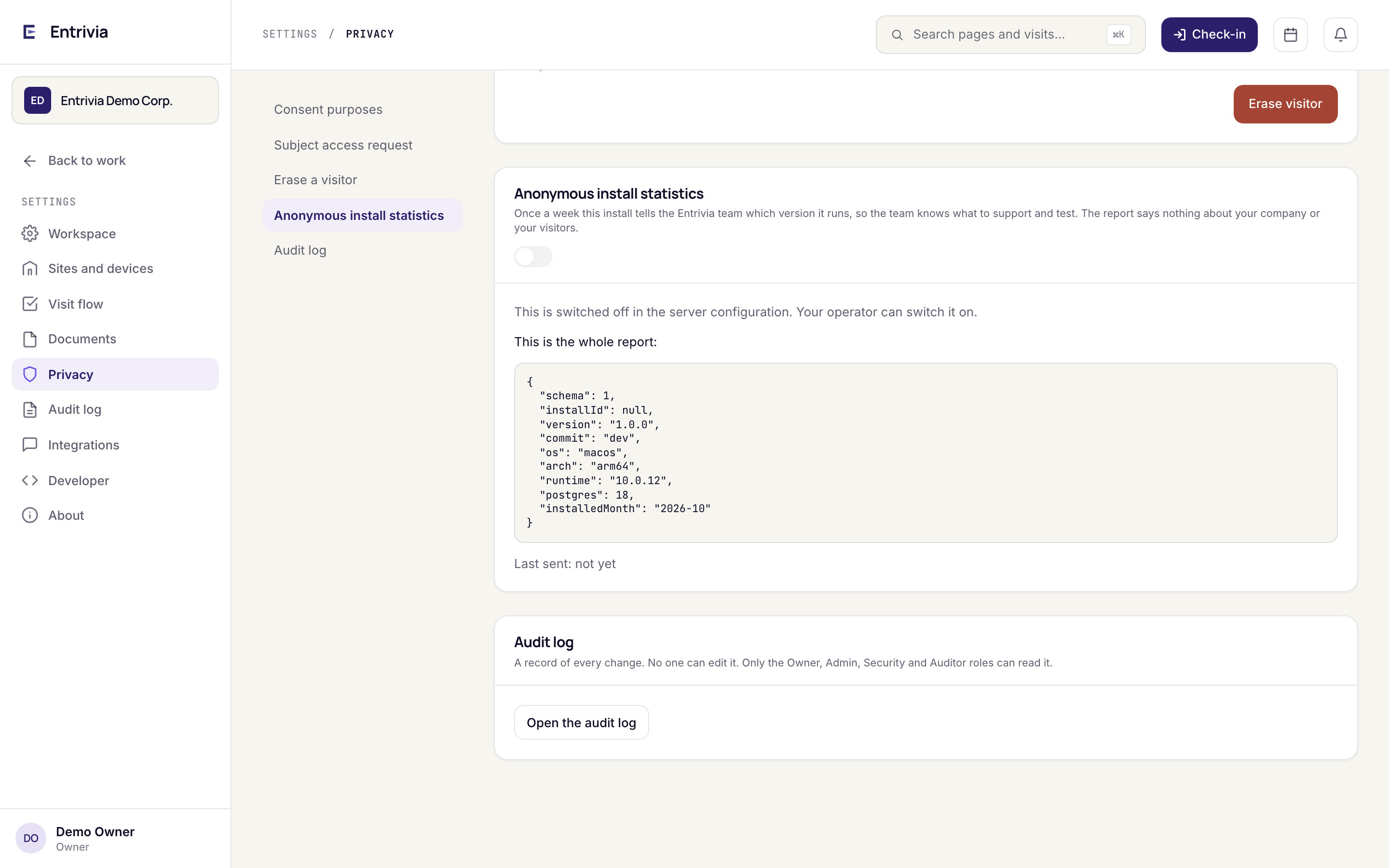
Once a week the install tells the Entrivia team which version it runs, so the team knows which versions to support and test. The report holds:
- the Entrivia version and a short build reference,
- the server's operating system and processor type,
- the runtime and database versions,
- the month the install was set up,
- a random install number, created for the report and deleted when you switch the report off.
Nothing about your company, your staff or your visitors is sent: no names, no counts of visits, no host names, no country. Only the server sends the report; the portal, the visitor pages, the kiosk and the print agent never do.
Where you see it
The card Anonymous install statistics is on Settings → Privacy, below the tools for visitor requests. Owners and admins can change it.
| On the card | Meaning |
|---|---|
| Send anonymous install statistics | The switch. Turn it off and no further report is sent. |
| This is the whole report: | The exact report, as it will be sent. |
| Last sent | When the last report was accepted, or "not yet". |
The first notice
Before the first report goes out, owners and admins see a notice on the Dashboard that explains it. Nothing is sent until one of them answers it:
- OK keeps the report on.
- Turn off switches it off at once.
You can change your answer on the card at any time. Switching the report on or off and confirming the notice each write an entry to the audit log.
When the operator switched it off
Your operator can turn the report off for the whole install in the server configuration. The card then says: "This is switched off in the server configuration. Your operator can switch it on." The switch is then off and cannot be changed in the portal, and nothing is sent. The card also shows this when the install has no address configured to send the report to.