Where visitors sign
Visitors sign the NDA on their phone, at the kiosk or on the reception screen, and each signature is recorded.
A visitor who owes an NDA (see Document templates) signs it once per visit, in one of three places. Whichever comes first counts; the others then skip the step.
On their phone, before arriving
The pre-arrival link in the invitation email leads through an NDA step titled Sign the NDA. The visitor reads the text, enters their Full legal name and optionally their company, signs with a finger in the Sign here box and taps Sign and continue. Clear starts the signature over. See Pre-arrival steps.
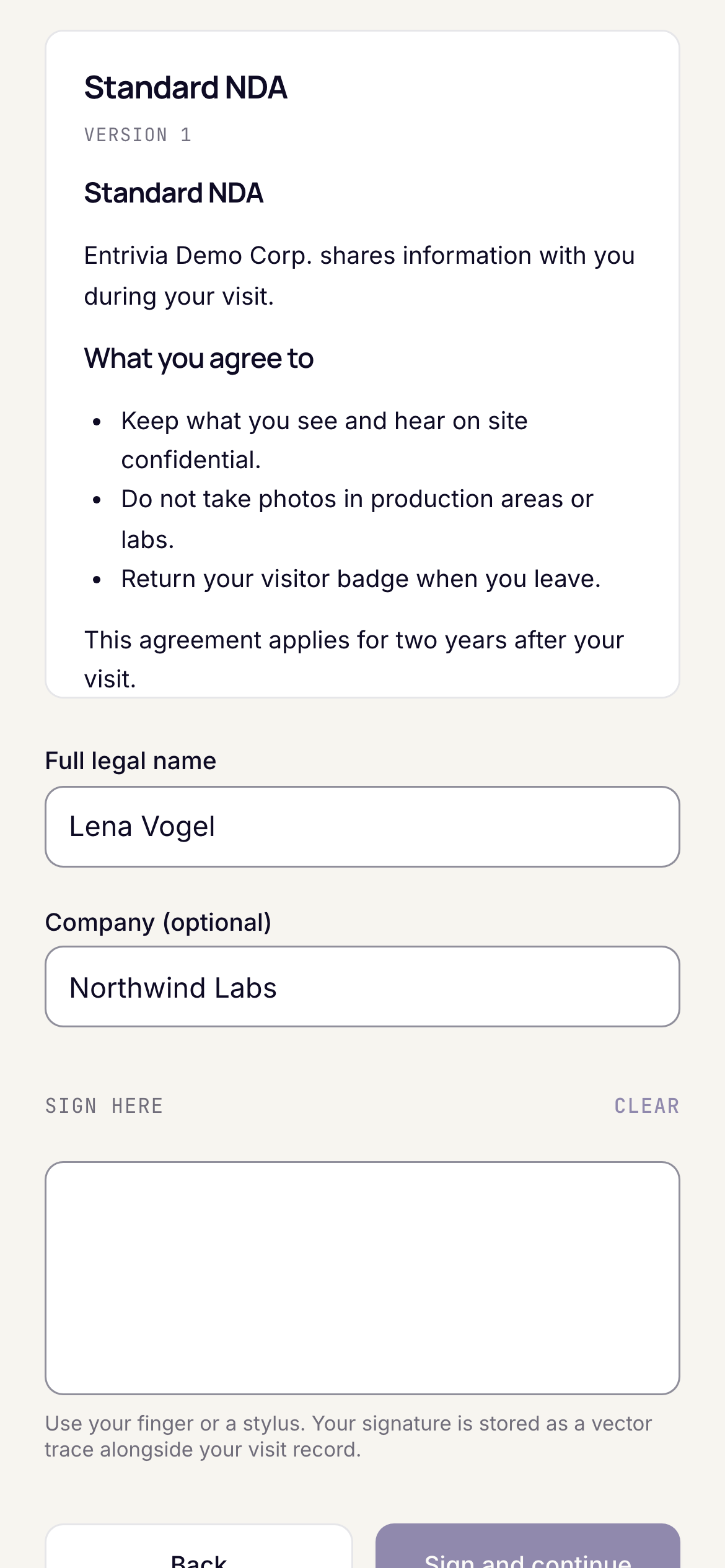
A visitor who does not want to sign taps I do not want to sign. They are told that reception will help them when they arrive.
At the kiosk
The kiosk shows A confidentiality agreement (NDA). with the document and a signature field. The visitor signs and taps I agree. If they tap I do not want to sign, the kiosk shows the calm "Please wait at reception." screen. See Checking in at the kiosk.
At the reception desk
In the reception check-in, the Brief & sign step shows the NDA and a Sign on the screen pad. Read the text to the visitor or hand them a printed copy, let them sign with a finger or stylus, and fill in Signer name and Signer company. The receptionist is recorded as witness; the visit's timeline reads "Signed at reception, witnessed by" and the receptionist's name.
If the visitor already signed during pre-arrival, the step shows NDA already signed and nobody signs twice. If no NDA is owed, the step does not appear. See Checking in an invited visitor.
When a visitor declines
Declining at the desk (Visitor declined to sign, then Record and tell the host), at the kiosk or in pre-arrival has the same effect: the visitor is put on hold and the host receives an email that their guest did not want to sign. Reception can then check the visitor in only with the host's approval and a reason, or turn them away. See Held visitors.
What is recorded
Each signature is stored with:
- the exact template version shown, in its language,
- the signer's name and company,
- the time, and the device it was made on (the kiosk, or the browser of the phone or desk).
A fingerprint of the signature, the signer and the template version is written into the audit log, so a later change to any of them would be detectable. On the visit record, Documents signed lists each signature as "Signed by" the name and the time, and the timeline shows NDA signed.
Signed documents are kept separately from the rest of the visit data, because they may be needed as evidence long after the visit. A signed PDF the visitor can download is planned.