Held visitors
What to do when a visitor declines to sign, refuses a photo or waits for a compliance check.
Sometimes a visitor cannot be checked in straight away. Entrivia then puts the visitor on hold. A held visitor gets no pass until the hold is settled, and the reason is shown only to staff, never to the visitor.
Why a visitor is held
| Reason | Where it happens | Who settles it |
|---|---|---|
| The visitor declined to sign the NDA | At the desk, at the kiosk or during pre-arrival | The host, through you |
| The visitor refused a required photo | At the kiosk | The host, through you |
| A compliance check is waiting | Anywhere, when your company screens visitors | Your compliance reviewers |
A visitor held at the kiosk sees "Please wait at reception." When you open their check-in at the desk, the same hold is shown.
When the visitor will not sign
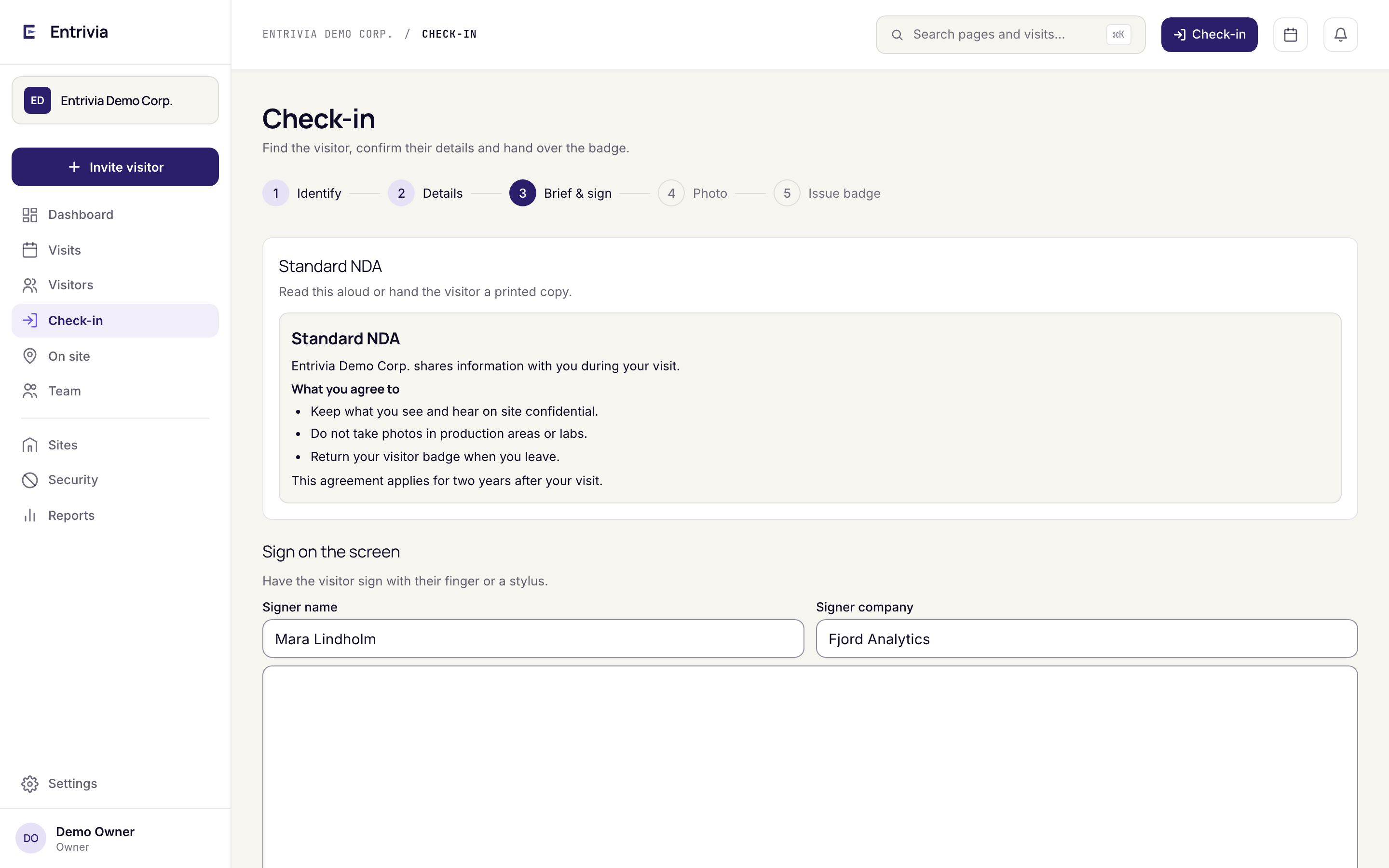
On Brief & sign, choose Visitor declined to sign and confirm with Record and tell the host. The host gets an email with the subject "visitor is waiting at reception", saying the visitor did not want to sign and that reception can only let them in with the host's approval. The panel Waiting for the host's approval appears on the Issue badge step.
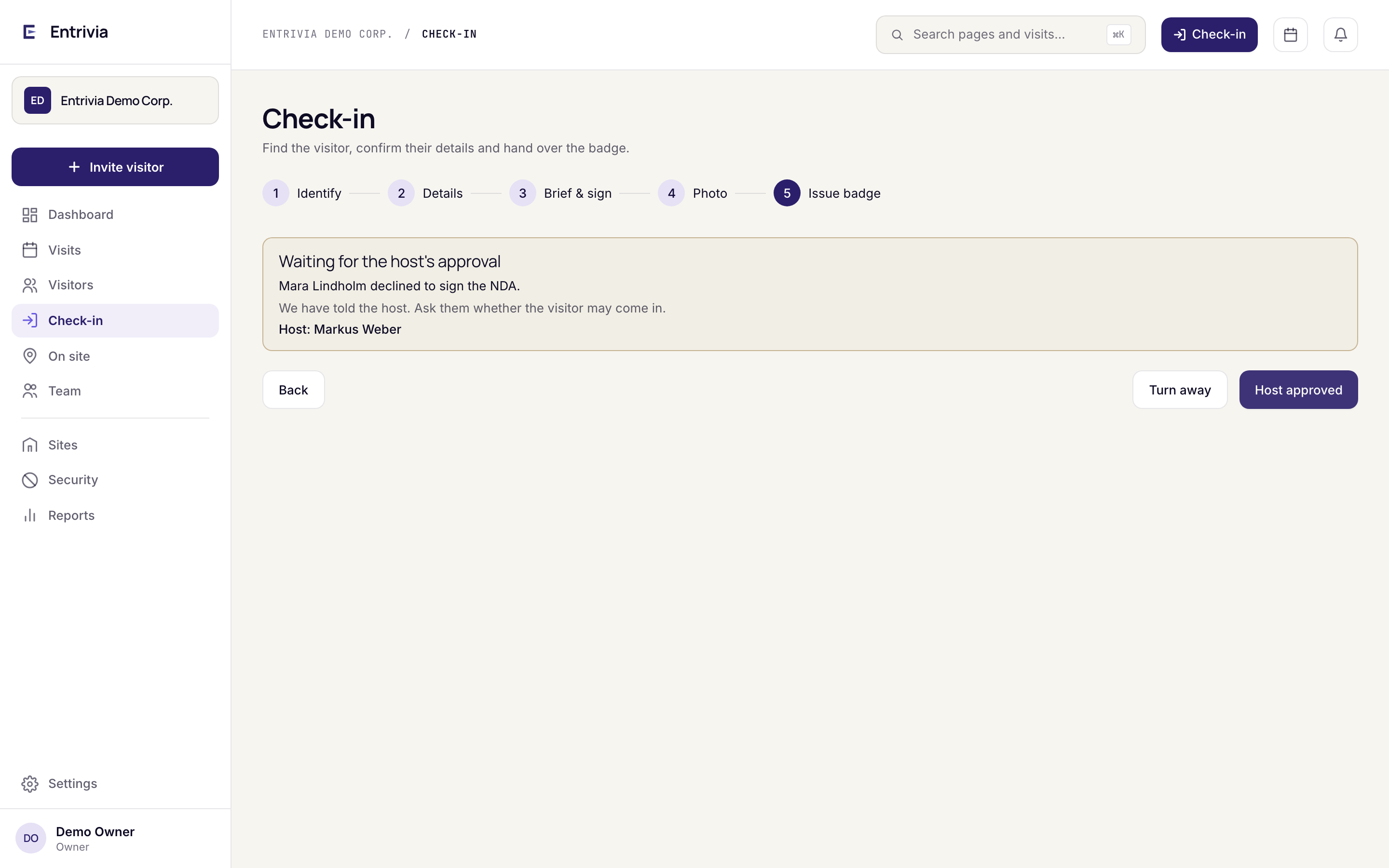
Settling a host-approval hold
- Ask the host whether the visitor may come in, for example by phone.
- If the host agrees, choose Host approved. Enter a Reason, for example "confirmed by phone, visitor stays escorted", and choose Check in. The reason is kept on the visit record, and the visitor gets their pass.
- If the host does not agree, choose Turn away and confirm with Turn visitor away. The visitor is not checked in for this visit. This cannot be undone; a later visit needs a new invitation or walk-in.
Note: The line above Check in reads "By tapping Check in, you confirm the visitor has seen our privacy notice". Make sure the visitor has seen it first.
Waiting for a compliance check
If your company screens visitors against sanctions lists, a visitor can be held with "Waiting for a compliance check". You see no reason and no details; the visitor must not learn anything either. The host cannot approve this hold.
Only when the check could not run at all, because the screening service was down, details were missing or the monthly limit was reached, you may choose Let the visitor in. Enter a reason and confirm with Let in; the reason is recorded and the admins are told. If the check found a possible match, this button disappears after your attempt: the visitor waits until a compliance reviewer decides. See Sanctions screening.
Blacklist matches
A blacklist block is not a hold you can settle. You see "Security has been notified. Please ask the visitor to wait at reception." Ask the visitor to take a seat, do not give a reason, and let security handle it.