Consent purposes
Decide which optional uses of their data visitors are asked about, and see what each visitor chose.
Entrivia separates two kinds of data use. Required purposes are needed to run the visit, such as keeping the visit record and the audit log. Visitors are informed about them, but never asked to tick a box, because their visit does not depend on agreeing. Optional purposes are extras a visitor can say yes or no to. Their choice is recorded.
The Privacy page
Owners and admins manage the list under Settings → Privacy, in the panel Consent purposes. The list shows required purposes first, then site-conditional ones, then optional ones.
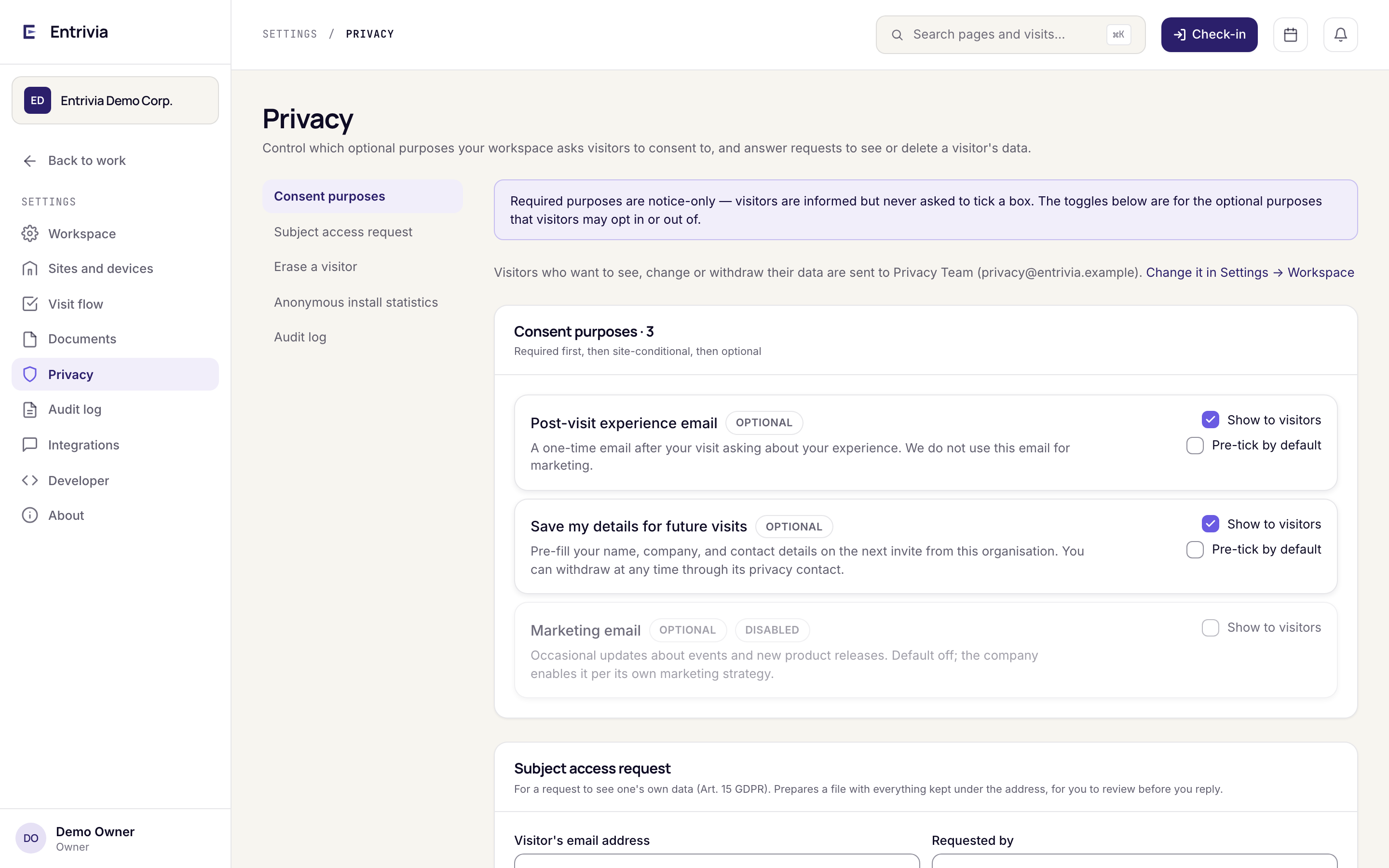
Each optional purpose has two switches:
| Switch | Effect |
|---|---|
| Show to visitors | Visitors are asked about this purpose |
| Pre-tick by default | The choice starts as yes. Off by default. |
Turning Pre-tick by default on shows a warning: pre-ticked consent may not be valid under the GDPR (the Planet49 ruling). Speak to your data protection officer before you use it.
Every change to these switches is written to the audit log. The Anonymous install statistics card on the same page is explained in Install statistics.
The optional purposes
Every install starts with these three, named in English, German and French:
| Purpose | Shown at first | What it does today |
|---|---|---|
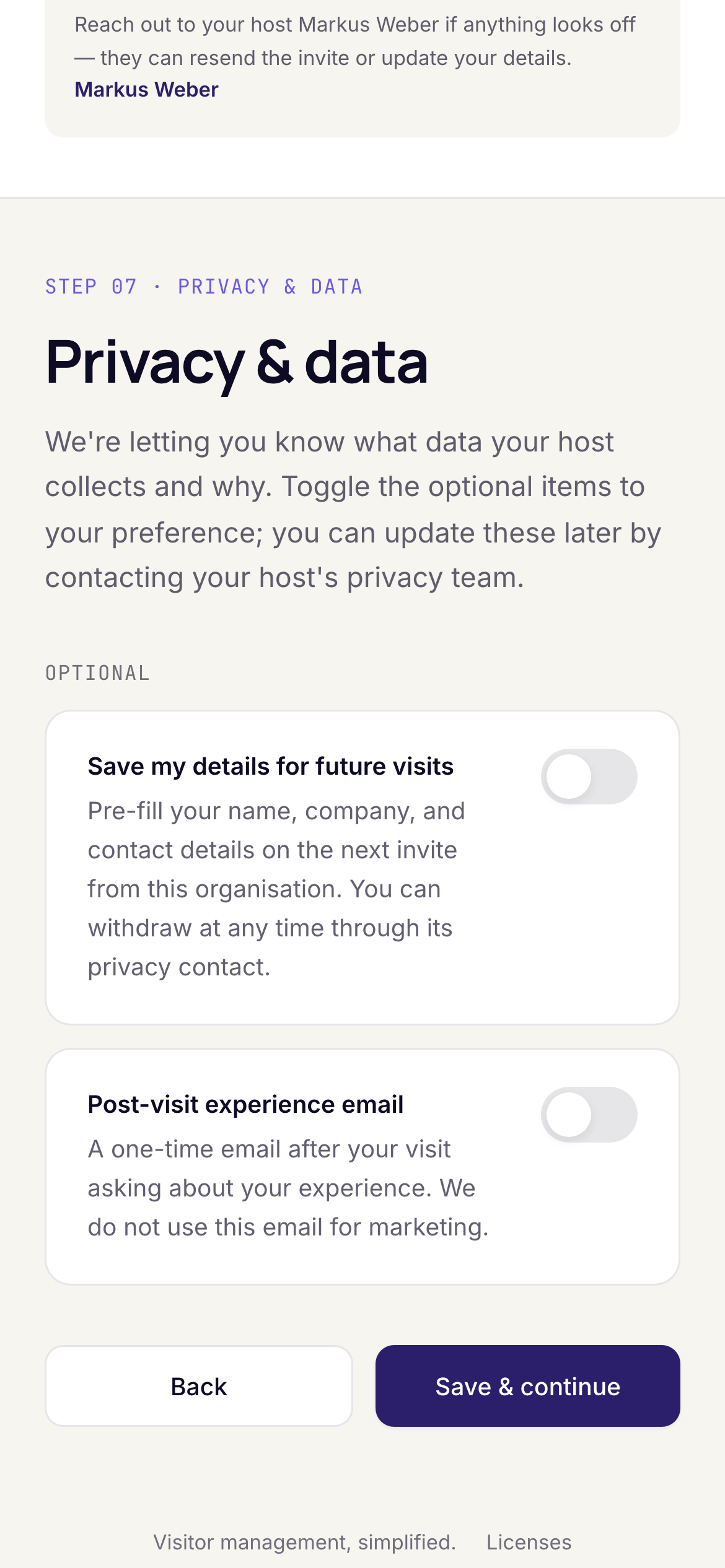
| Save my details for future visits | Yes | The visitor's name, company and contact details fill in the next invite to the same email. See Sending an invite. |
| Post-visit experience email | Yes | Nothing yet; the email is not sent. |
| Marketing email | No | Nothing; Entrivia sends no marketing. |
Older installs also have Use my photo for kiosk recognition. Entrivia does not recognise faces, so it was switched off for visitors once; leave it off.
Visitors should only be asked about what really happens. We recommend switching Show to visitors off for the post-visit email until it does something.
Where visitors decide
- In pre-arrival, the Privacy & data step lists the required purposes as a notice and the optional ones as switches. Save & continue records the choices. See Pre-arrival steps.
- At the reception desk, the Details step shows Optional consents. Ask the visitor and tick only what they agree to.
- At the kiosk, visitors see only the privacy notice line and link; optional purposes are not asked there yet.
Seeing a visitor's choices
On the visit record, Consents granted lists each decision with Granted or Withdrawn and where it was made: Prearrival, Kiosk, Reception, Admin or SMS reply. Decisions are never changed in place; a withdrawal is added as a new record, so the history stays complete.
Withdrawing consent
Visitors withdraw consent by contacting your company's privacy contact, which they see in the privacy notice (set it under Settings → Workspace). There is no withdrawal button in the portal yet. See Visitor requests.