The calendar
See the visits of a week or a month at a glance, under the same filters as the Visits lists.
The Calendar page shows visits by week or by month. Open it from the calendar button at the top right, beside the bell, on any page. Owners, admins, hosts, reception and auditors can open it; hosts see only the visits they host, as on the Visits page.
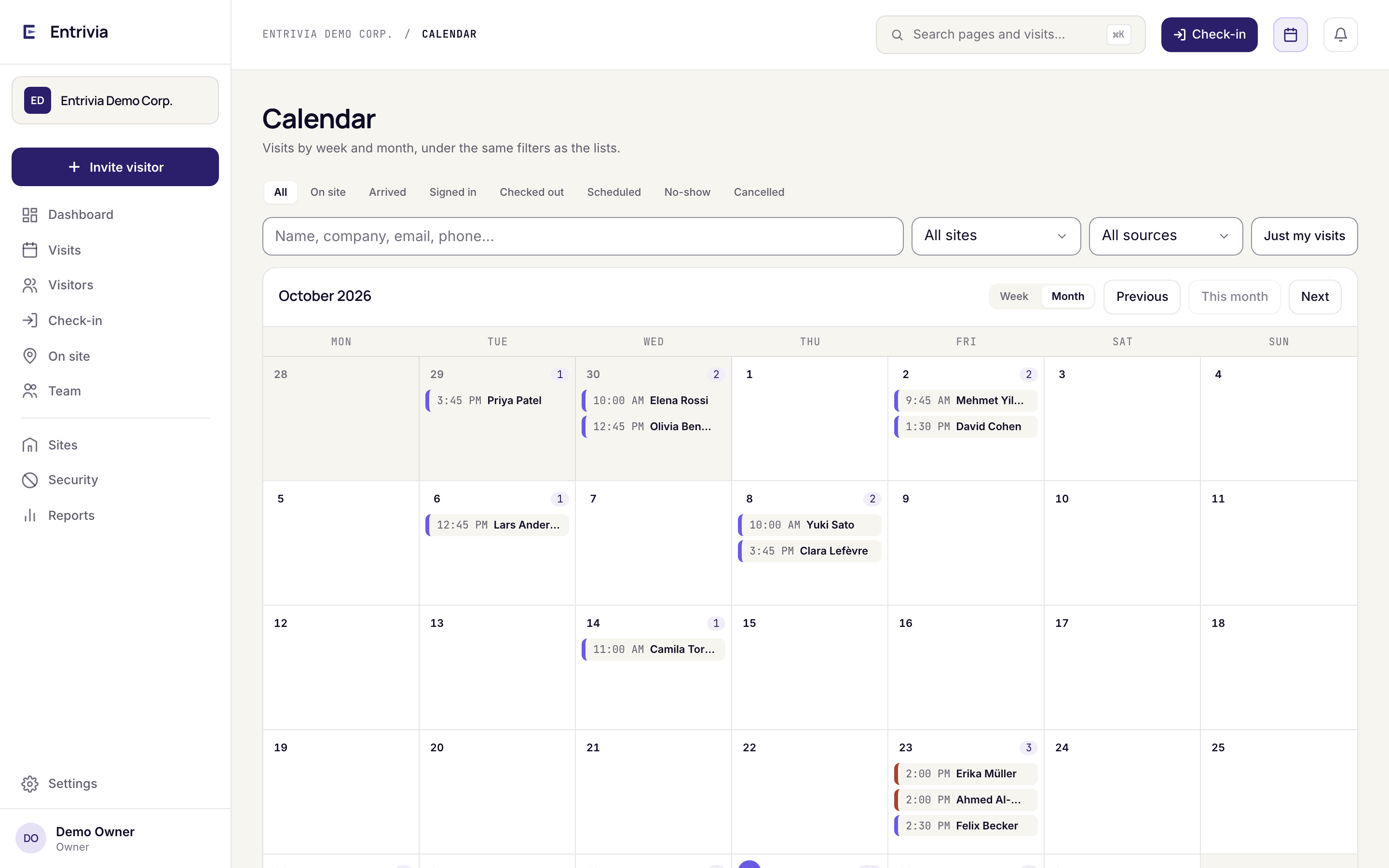
The calendar uses the same filters as Today and History on the Visits page: status, search, site, source and Just my visits. Click a visit to open its record (see The visitors list).
Week
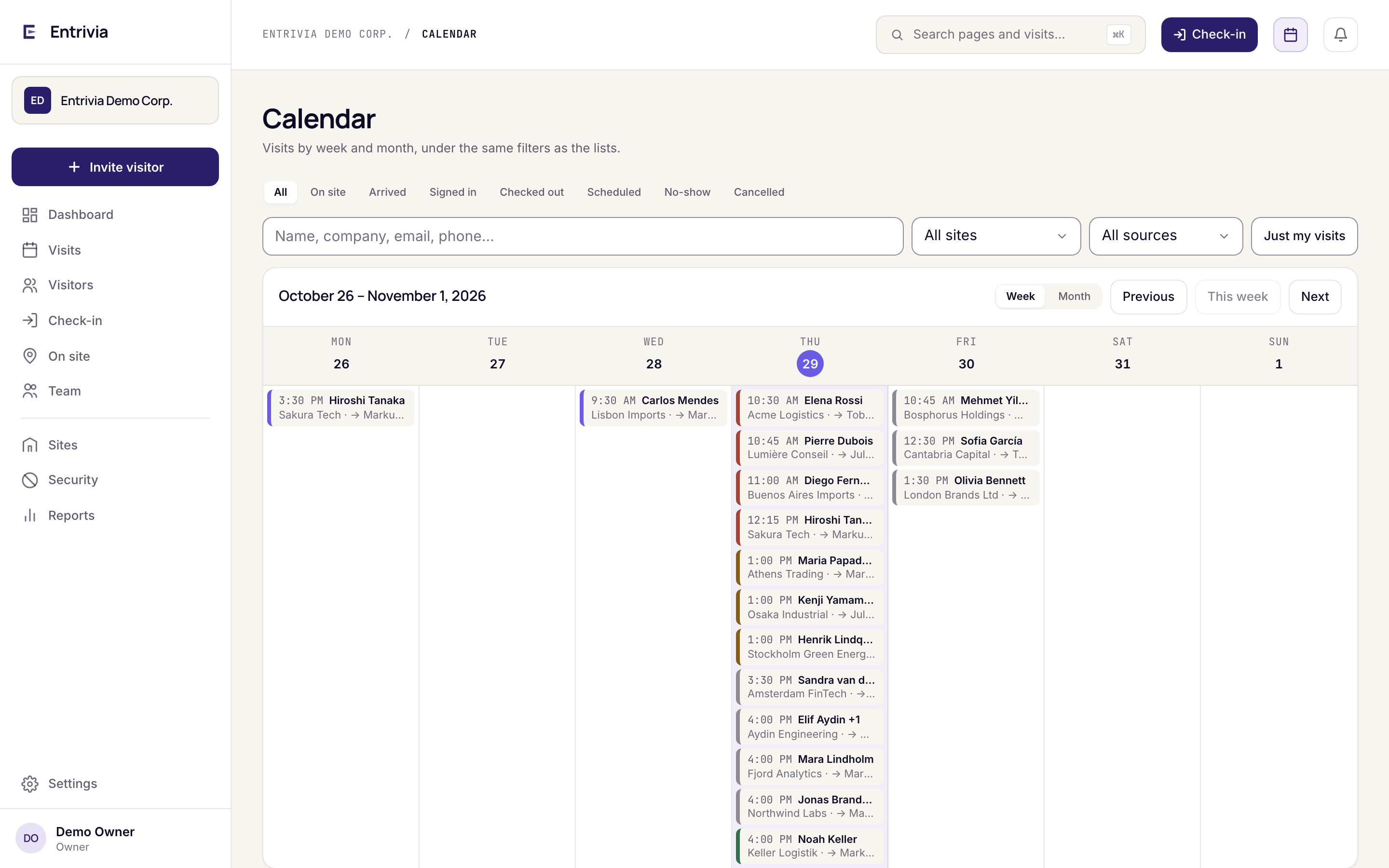
Week shows seven days, Monday to Sunday, each visit on the clock of its site. Visits sit in their day in order of planned arrival, coloured by status. A visit over several days, or one that lasts the whole day, runs across its days in the row above. For a recurring visit the week also shows the dates the series has not created yet, with a dashed outline; click one to open Recurring on the Visits page. Previous, This week and Next move between weeks. On a phone the week shows one day at a time: tap a day in the row of dates.
Month
Month shows every day of the month with its number of visits and the first three of them. +N more, or a click on the day, opens that day in the week view. With the keyboard, the arrow keys move between days and Enter opens a day. On a phone the month shows the numbers only.