Verifying the chain
How to check that no audit entry was removed, added or changed, and what to do if the check fails.
Why the entries form a chain
Every entry in the audit log carries a fingerprint of its own content and of the entry before it. If someone changed an entry, removed one or slipped one in, the fingerprints would no longer fit together. The check recalculates the fingerprints for the whole install, from the very first entry to the newest, and tells you whether they still fit.
Run it before you hand the log to an auditor, after an incident, or whenever someone asks whether the log can be trusted.
Running the check
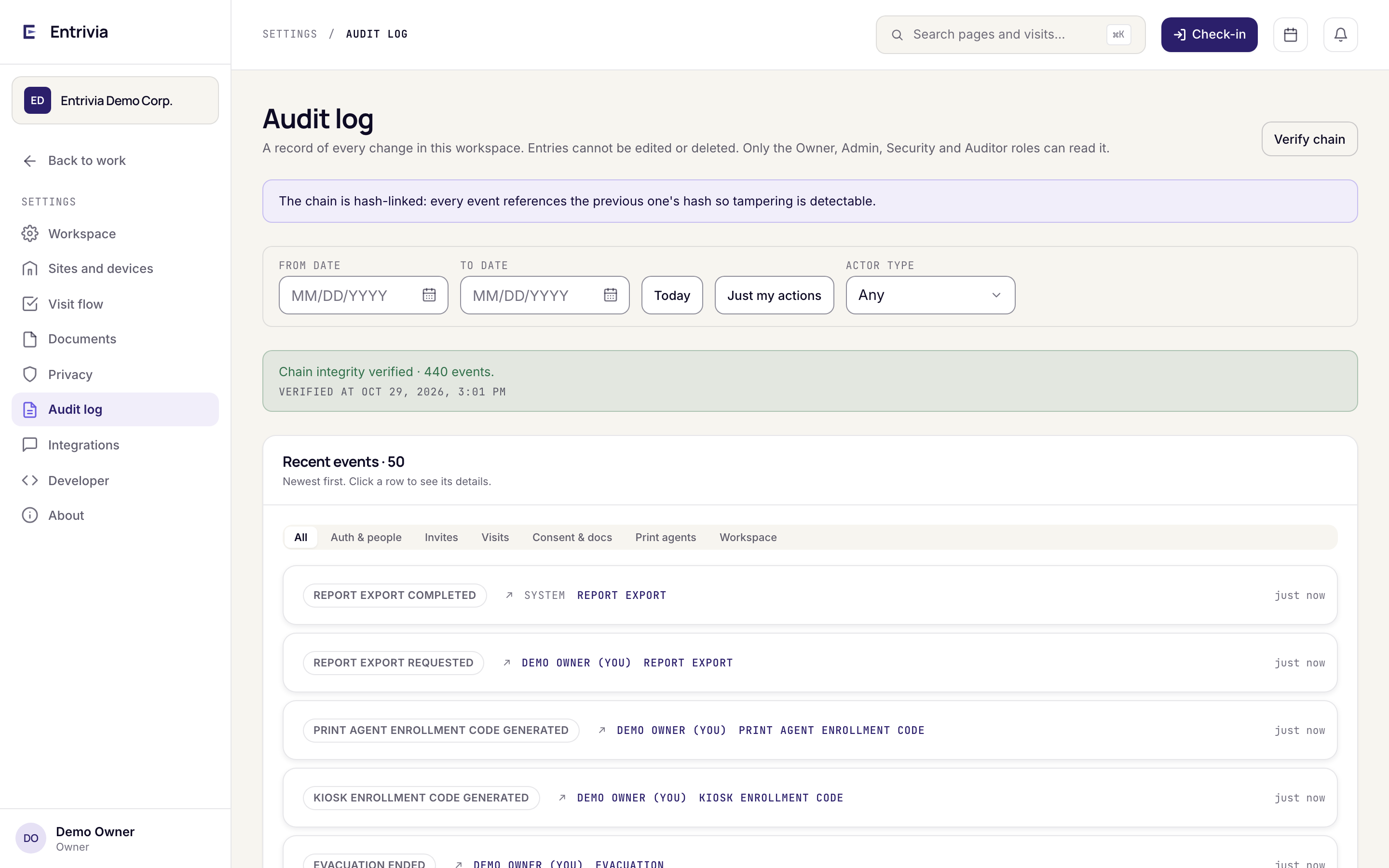
- Open Audit log: security staff and auditors find it in the rail, owners and admins under Settings.
- Click Verify chain.
- Wait for the result. On a large install this can take a moment, because every entry is checked.
Reading the result
When everything fits, you see Chain integrity verified · n events. with the time of the check. n is the number of entries checked.
When something does not fit, you see Divergence detected at event … (after n events). Contact security., followed by the first entry that does not fit, with its event type, actor and time, and two fingerprints:
- Expected is what the fingerprint should be, recalculated from the entries before it.
- Found is what is stored.
Below them, a plain sentence explains the kind of break:
| Message | What it means |
|---|---|
| An event no longer links to the one before it. | An entry may have been removed, added or moved. |
| An event no longer matches its fingerprint. | The content of an entry may have been changed after it was recorded. |
| The entry that seals the removal of personal details is missing, or no longer matches. | Older entries had names removed for a lawful reason, and the seal for that removal is missing or does not fit. |
Entries with names removed
When names and contact details have been removed from older entries for a lawful reason, for example by the nightly cleanup after 24 months (see Automatic deletion), Entrivia seals the removal with an entry of its own (Removal of personal details sealed). The check then shows how many older entries had names and contact details removed. These entries are checked by their place in the chain, not by their content, so a lawful removal does not count as tampering.
If the check fails
- Do not try to repair anything, in the portal or in the database. The failed result is itself evidence.
- Note the event id, the time and the two fingerprints shown, or take a screenshot.
- Tell your security team and your operator. The operator can compare the database with its backups to find out what happened.
The check reads only. Running it changes nothing and can be repeated at any time.